Get 2000 Twitter Followers Free

By Pravin Purohit   Posted at  06:05   Twitter 6 comments
Hey You? You want thousands of twitter followers free and get famous on worlds best microblogging site -Twitter, the you are in right place today at hackmadeeasy i am going to show you a simple trick by which you will get 2000 twitter followers guarrented within a day! Ok so lets start


How It Works?


Its Works by using a SEOClercks We Will Purchase a gig which is for 2$ [ dont worry we dont need to pay.
this gigs provide 2000 followers in a day all you need to do is provide your twitter username!

Requirments


  • A Twitter ID ( LOL! what I Mention this!)
  • Its should be 6 months old
  • it should have 100+ tweets
  • it should have 100+ followers
Okay so Lets Start Proccess ,

Steps


  • Go To SEOclerk and create and account there. 
  • then go to http://www.seoclerks.com/freemoney
  • Then follow steps there
  • tweet the tweet provided there
  • follow  @seoclerks
  • then enter your twitter username in above box and click verify
  • Now you'll get 2$ Cash in your balance
  • Now go to This Link and click Order
  • Now At Payment option select pay using my balance
  • now you'll be asked for you twitter username on next page
  • just enter your twitter username like @_Pravinpurohit

Now What?


Nothing just enjoy you day and wait for 24 hours and get free 2000 followers!

Create Microsoft Logo With Just Little CSS3 and HTML.

By Pravin Purohit   Posted at  03:54   css 1 comment

As we all know Microsoft has changed their logo and revealed a new logo. The logo was evolved since 1975, first changed in 1980, then 1982 and again in 1987. After a long 25 years the logo remained unchanged as it appeared in 1987. The logo contains a Symbol of four colored squares and Logotype. This represents the Microsoft’s more-focused consumer product line; Windows 8(the light blue), Office (the orangey-red), Xbox (the light green), Windows Phone and Surface Tablets (the dark yellow). Professional PDF designers suggest that this logo is created by using Adobe Illustrator CS5.


Before starting our code snippet take a look at the previous versions of Microsoft logos.

Live DEMO

Microsoft


<logo>Microsoft</logo>
 
<style>
logo {
    font: bold 60px "Segoe UI";
    color: #747273;
    line-height: 1.5em;
    padding-left: 1.7em;
}
 
logo:before {
    content: '\2006';
    position: absolute;
    height: 0.095em;
    left: 0;
    box-shadow: 0.35em 0.35em 0 0.25em #f8510c, 
                1.05em 0.35em 0 0.25em #7eba00, 
                0.35em 0.97em 0 0.25em #00a3f4, 
                1.05em 0.97em 0 0.25em #ffba00;     
}
</style>


Just Paste Above Code In Body

Make A Custom Webkit Scrollbar For Your Website or Blog.

By Pravin Purohit   Posted at  03:43   Blogger No comments

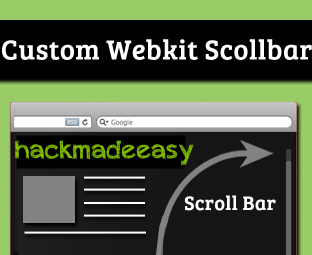
Do you want to enhance the Scroll bar of your website? Scroll bar appears at the right side of the screen and, it allows users to scroll down the page whenever they drag there mouse up or down the page. To provide a user-friendly experience to your visitors, it is essential to have a Smooth Scroll bar. However, there is no doubt that Custom Scroll bar does the job quite handsomely, but it is not perfect. Few days ago, our reader informed us about the colorful Webkit Scrollbars that he has seen on different websites. Furthermore, he also requested us to develop a similar one. Therefore, in this article we will learn How to Create Customize Webkit Scrollbar in Blogger BlogSpot Blog?

What is the Definition of WEBKIT Scrollbar?

Mostly of the people are still thinking what does the word “WEBKIT Scrollbar” means, it is a vertical or horizontal bar which usually appears at the right side of the screen and that allows users to scroll down the page through their mouse. If anyone is still unable to understand how it works then, don’t forget to check the following demonstration which would clear all the misconception that is wobbling into your brains. Consider the following screenshots.
::-webkit-scrollbar              { /* 1 */ }
::-webkit-scrollbar-button       { /* 2 */ }
::-webkit-scrollbar-track        { /* 3 */ }
::-webkit-scrollbar-track-piece  { /* 4 */ }
::-webkit-scrollbar-thumb        { /* 5 */ }
::-webkit-scrollbar-corner       { /* 6 */ }
::-webkit-resizer                { /* 7 */ }

Why to Use Customized Scrollbar?

There is no lethal reason why a person could say a no to Customized Scrollbar because it adds a new elegant life to his website. Consider that a person has a highly professional website but since, the Scrollbar is from old-school, so it is quite clear that, it will destroy the complete outlook of a website. To learn more about the difference between an ordinary or and a customized scrollbar consider the following screenshot.

How to Add Webkit Scrollbar in Blogger Platform?

To be honest, there is no complexity in this tutorial because all we need to do is to insert a CSS to our theme, and it would do the job quite effortlessly.  To install Webkit Scrollbar in your blogger template consider the following instructions.
  • Go To Blogger.com >> Templates >>EDIT HTML >> Proceed.
  • Now in the theme Search for ]]></b:skin> and above it Paste the Following CSS Coding.

/* --- HackMadeEasy.Blogspot.com CUSTOM WEBKIT gradient SCROLLBAR With Rounded Corners IN BLOGGER BLOG --- */
::-webkit-scrollbar {
background:#fff;
width:10px;
}
::-webkit-scrollbar-thumb {
-webkit-box-shadow: inset 0 0 6px rgba(0, 0, 0, 0.5);
background-image: -webkit-linear-gradient(top, #32A4D6 10%, #32A4D6 51%);
-moz-border-radius:200px;
-webkit-border-radius:200px;
border-radius:200px;}
::-webkit-scrollbar-track {
}
For websites paste above code in your style sheet or add below code above ur
/* --- HackMadeEasy.Blogspot.com CUSTOM WEBKIT gradient SCROLLBAR With Rounded Corners IN BLOGGER BLOG --- */
::-webkit-scrollbar {
background:#fff;
width:10px;
}
::-webkit-scrollbar-thumb {
-webkit-box-shadow: inset 0 0 6px rgba(0, 0, 0, 0.5);
background-image: -webkit-linear-gradient(top, #32A4D6 10%, #32A4D6 51%);
-moz-border-radius:200px;
-webkit-border-radius:200px;
border-radius:200px;}
::-webkit-scrollbar-track {
}


  • Then Replace #32A4D6 with the color that you want to see in the Scrollbar.

  • All Done: After doing all the customization just press the Save button. Now Visit your site and we are sure it wouldn’t let you down. By using the same technique, we can customize many elements of a website.
    It is Always Recommended to Backup Your Template Before Making Any Changes

    Free Download Subway Surfer Game For Your PC!

    By Pravin Purohit   Posted at  20:15   Game 18 comments

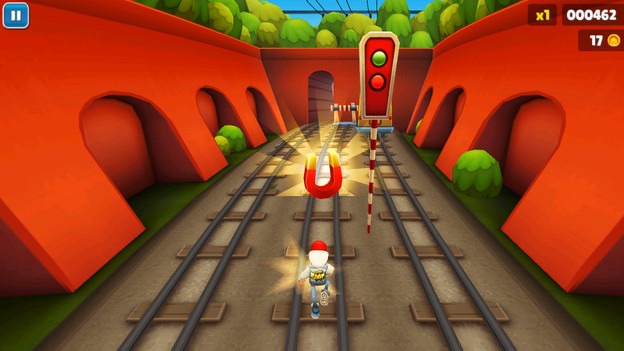
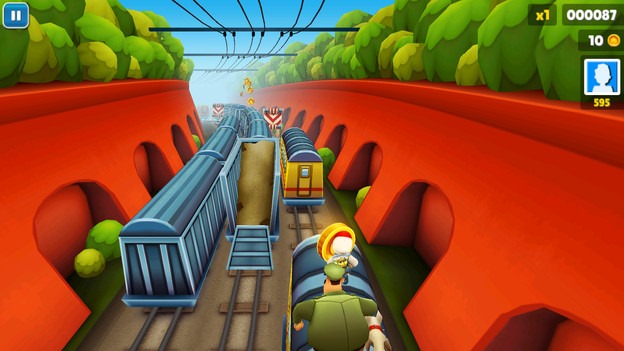
    Subway Surfer's that claims to beat the popularity of Temple Run 2 that was released earlier by making a more fun environment in that same chase and run gameplay. Normally you are a funky sprayer who is chased by a fat police man and his loyal dog, well you need to surf the whole subway streets by finding your path and just running in the whole game, you have boost up's and that same coin collecting strategy that you might have seen in Temple Run 2, but the best thing is that this game has some free gameplay environment that makes it much more cooler. So I got some screenshots from the you might wanna check out.
    subway-surfers-1subway-surfers-2subway-surfers-3
    Well officially this game was not available for windows PC but somehow I think someone has managed to design its whole setup for Windows PC and now this game is live and its working perfect. So now Subway Surfers graphics on Windows machine is just awesome, and the gameplay is same too, so you can run and control your buddy using simple mouse clicks and drags.
    1. Download Subway Surfer's PC Game using above link.
    2. Now it's a .zip file extract it.
    3. Now you will see simple Subway Surfer's folder double click on it.
    4. Now to play it click on the Subway Surfer's .exe file.
    5. Now you can choose the display size & hit Play!
    6. For any further instructions you can see the Instruction's text file.

    Subway Surfers PC Game Control's

    So control's for this game is dam! simple, you are not going to use any keyboard keys or something but simple mouse will work just fine.
    • Turn Left - well to turn left you can click and drag your mouse on left.
    • Turn Right - well to turn right you can click and drag your mouse on right.
    • Jump - to jump you need to click and drag your mouse in upward direction.
    • Slide - to slide you need to click and drag your mouse in downward direction.
    • Power Boost Up - just double click mouse button and it will activate that thing.
    So I hope you will enjoy this awesome game, and it will surely get some fun time, do comment if you find any problem's and do share this post with your friends too :)

    No Start Button or Playing Problem !

    Well many people are commenting that they are not able to see any Start Button or Tap to Play option, well that's because you might not be having graphic card installed, I did not face any problem as I was having graphic card installed, so there is any easy way to fix this thing up, well you need to use 3D Analyzer software to use your RAM as Graphic Memory.
    Well just check out this awesome tutorial that will help you install and use 3D Analyzer. So download it out and follow instruction mentioned on that site to get this game working. Still find any problem do comment.
    UPDATE You might need to install Microsoft Visual C++ software on your PC  so if you do not have a graphic card installed try installing Visual C++ software. Thanks to him :)


    Thanks to Rushab Jain of Hackinguniversity.in for this awesome article.

    Back to top ↑
    Connect with Us

      Follow our updates

      Total Pageviews

    Contact us

    Name

    Email *

    Message *

    Like us

    Recent Comments

    © 2011-2013 Hack Made Easy. All rights reserved.